 Search

- Product Comparisons

-
Categories
Browse All Categories

 Location


 Location
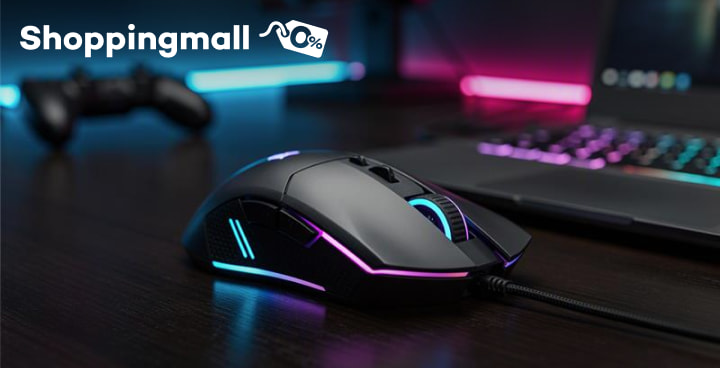
Find your next gaming mouse with this guide to four brands, their standout features, and what to check before buying.
 Shoppingmall
 Product Comparisons
 Last Updated October 30, 2026
For many Pinoy gamers, gaming is more than just a hobby. It’s the late-night ranked grind with your barkada, the clutch play you’ll brag about for weeks, and the way you unwind after a long day. So, when your mouse lags, double-clicks, or slips at the worst moment, it hurts—because that one missed shot can cost the whole match.
A gaming mouse is built for speed and accuracy. Compared to a regular office mouse, it usually has a better sensor, faster response, adjustable sensitivity, and extra buttons you can set for in-game actions.
Finding the best gaming mouse starts with knowing how you play. We’ve rounded up four options for competitive players, gamers who juggle lots of skills and shortcuts, and first-timers alike.
Before choosing a gaming mouse, look beyond the RGB lights and brand name. These details matter more once you’re in the middle of a match:
Complete your setup with a laptop that can keep up with your games. Explore laptop deals on Shoppingmall and find monthly installment options that fit your budget.
Some gamers want pro-level speed, while others need more buttons or just a solid starter mouse. These four brands each shine in different ways, so focus on what fits your playstyle.
Playing Valorant or CS2 for hours? The Razer DeathAdder V3 has an ergonomic, right-handed shape built with esports pros, and at just 59g, it stays comfy and quick even during marathon ranked games.
Why choose Razer?
Best for: Right-handed FPS players with medium to large hands who want comfort and precision for long competitive sessions.
Got too many skills and too few fingers? The Logitech G502 HERO packs 11 programmable buttons, so you can map heals, builds, and macros right under your thumb.
Why choose Logitech?
Best for: Players of role-playing, battle arena, and strategy games who rely on many skills and shortcuts, and like a heavier, steadier feel.
Want a mouse that feels like it’s barely there? The Finalmouse UltralightX weighs around 31g to 37g depending on size, so quick aim adjustments and tracking feel almost effortless.
Why choose Finalmouse?
Best for: Serious FPS players and aspiring esports pros willing to invest in a premium wireless mouse for top-tier aim.
Just starting out or upgrading from a basic office mouse? The Tech1 Gaming Mouse is a simple plug-and-play wired option with RGB lighting—an easy, low-cost way to see if PC gaming is for you.
Why choose Tech1?
Best for: Beginners, students, and casual gamers who want a gaming feel without spending much. Just note that it has no side buttons or adjustable sensitivity settings.
Still torn between options? Ask yourself these quick questions:
Your answers will point you to the features worth paying for and the ones you can skip.
Before checking out, compare the mouse’s size and weight with your hand size, read the product specs, and look at the warranty. The best gaming mouse is the one that feels like an extension of your hand—not just the one with the most impressive specs.
Tuloy ang laban para sa life goals! With the Home Credit App, you can easily apply for a laptop loan to get your gaming laptop in affordable installments. You can also pay bills, buy load, pay with QR, and more! Get the full experience and download the Home Credit app now.
Your quick survey response will help us improve the experience for everyone.

This website uses cookies to improve your experience. No personal data is tracked. By browsing, you agree to our use of cookies as indicated in our Privacy Notice.
This website uses cookies to improve your experience. No personal data is tracked. By browsing, you agree to our use of cookies as indicated in our Privacy Notice.